
Sketch Pro: Draw & Create Art
4Axis TechnologiesArt & Design
4.61.32K Reviews
- Version
- 2.1.2
- Installs
- 1.00M
- Age Rating
- Everyone
Screenshots

Our Review of Sketch Pro: Draw & Create Art
 Analysis by Appyee
Ever had one of those moments where you’re just itching to unleash your inner artist but can’t find the right tools? Well, let me tell you, I recently stumbled upon Sketch Pro: Draw & Create Art, and it’s been a game-changer for my creative spurts. Whether you’re a seasoned artist or just someone who doodles during meetings (guilty as charged!), this app might just become your new best friend.
Getting Started with Sketch Pro
The first thing I noticed about Sketch Pro: Draw & Create Art was its intuitive interface. I’m not a tech wizard by any means, but navigating through the app felt like a breeze. After a quick download from the app store, I was greeted by a sleek and clean dashboard. No clutter, just a simple canvas begging to be filled with my imagination.
Tools of the Trade
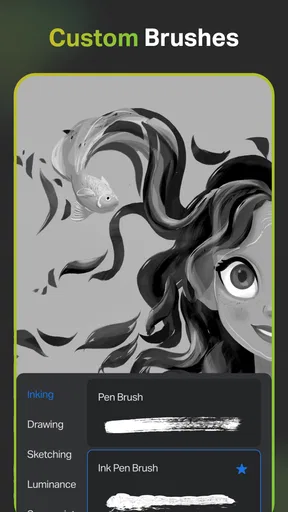
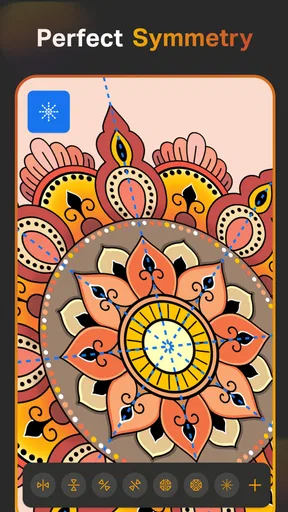
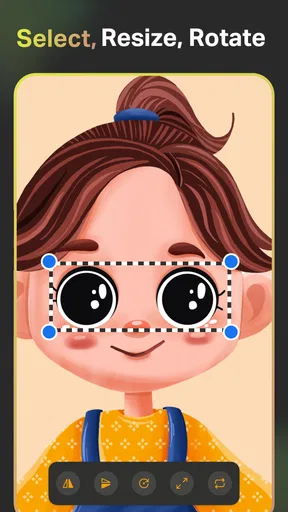
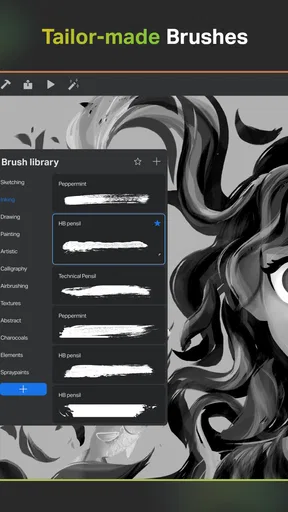
Once you dive in, you’ll find a treasure trove of tools at your disposal. From pencils and brushes to markers and airbrushes, it’s like having a mini art studio in your pocket. The app even offers a variety of textures and blending modes, which is fantastic for adding depth and realism to your creations. I spent a good chunk of time experimenting with different tools, and let me tell you, the possibilities are endless.
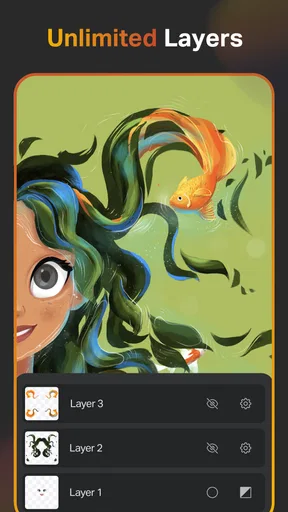
One feature that really stood out to me was the layering system. It’s perfect for those of us who like to tweak and refine details without ruining the whole piece. You can easily add, merge, or delete layers as you go, which is a lifesaver when you’re trying to achieve that perfect look.
Customization Galore
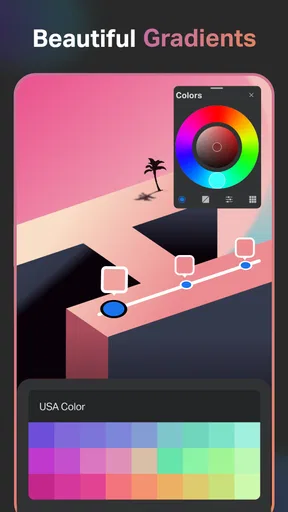
If you’re anything like me, you love to customize everything, right down to the smallest detail. Sketch Pro doesn’t disappoint in that department. You can adjust the brush size, opacity, and even create custom color palettes. It’s like having your own personal set of art supplies tailored exactly to your needs.
The app also allows you to import images to use as a reference or to incorporate into your work. I found this especially helpful when trying to nail down complex shapes or perspectives. Plus, you can easily export your masterpieces in various formats, making it a breeze to share your work with the world.
Community and Inspiration
One of the most delightful surprises was the community aspect of the app. It’s not just about creating art; it’s about sharing and drawing inspiration from others. The app features a vibrant gallery where users can showcase their work and get feedback. I found myself scrolling through the gallery more times than I’d care to admit, but hey, it’s all in the name of inspiration, right?
“Art enables us to find ourselves and lose ourselves at the same time.” - Thomas Merton
Final Thoughts
So, should you give Sketch Pro: Draw & Create Art a shot? Absolutely! The app is packed with features that cater to both beginners and advanced artists, making it a versatile tool for anyone looking to dive into the world of digital art. It’s easy to use, highly customizable, and offers a sense of community that’s truly inspiring.
Whether you’re sketching out your next big idea or just doodling to de-stress, this app offers the perfect platform to unleash your creativity. So go ahead, download it, and see where your creativity takes you. Happy sketching!
Privacy and Permissions
See what permissions an app requests and how it handles your data.
- Photos/Media/Files
- read the contents of your USB storage, modify or delete the contents of your USB storage
- Storage
- read the contents of your USB storage, modify or delete the contents of your USB storage
- Camera
- take pictures and videos
- Wi-Fi connection information
- view Wi-Fi connections
- Other
- view network connections, full network access, run at startup, control vibration, prevent device from sleeping, Google Play license check, read Google service configuration
Verdict
Strengths of Sketch Pro: Draw & Create Art
- Intuitive interface for easy navigation.
- Wide range of drawing tools available.
- Supports layers for complex designs.
- High-resolution export options.
- Regular updates with new features.
Limitations of Sketch Pro: Draw & Create Art
- Limited free features; many tools are premium.
- Occasional lag on older devices.
- Ads can be intrusive in free version.
- No offline mode for cloud saves.
- Limited community sharing options.
Other Releases by 4Axis Technologies
View All
Drawing Desk: Learn to Draw
Art & Design4.5
Similar Picks in This Category
View All
Canva: AI Photo & Video Editor
Canva4.8

PENUP – Drawing-sharing SNS
Samsung Electronics Co., Ltd.4.5

Crafto
Kutumb App4.6

Sketchbook
Sketchbook4.1

ibis Paint X
ibis inc.4.5

Adobe Express: AI Photo, Video
Adobe4.6
Frequently Asked Questions
What features does Sketch Pro: Draw & Create Art offer?
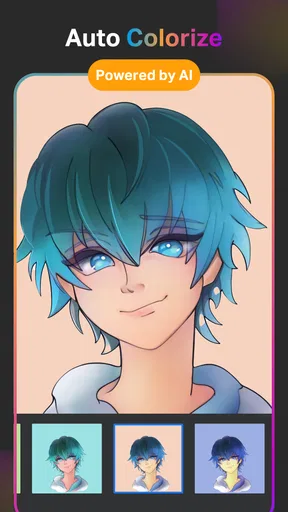
Sketch Pro provides a wide range of features, including customizable brushes, layers support, and advanced color tools. It also offers a user-friendly interface and various export options. Whether you are a beginner or a professional artist, Sketch Pro tailors to your creative needs with its robust toolkit.
Is Sketch Pro suitable for beginners?
Yes, Sketch Pro is designed to be user-friendly for beginners while also offering advanced tools for experienced artists. The intuitive interface allows new users to easily navigate the app, and there are tutorials and guides available to help beginners get started with digital art creation.
Can I use Sketch Pro offline?
Yes, Sketch Pro can be used offline, allowing you to create art without an internet connection. This feature makes it convenient for users to work on their projects anywhere and anytime, without worrying about connectivity issues, ensuring uninterrupted creativity.
What devices are compatible with Sketch Pro?
Sketch Pro is available for both Android and iOS devices. It supports a wide range of smartphones and tablets, ensuring that you can use the app on your preferred device. Check the app store for compatibility with your specific device model before downloading.
Does Sketch Pro offer cloud storage for artwork?
Yes, Sketch Pro offers cloud storage options, allowing you to save your artwork securely online. This feature ensures that your projects are backed up and can be accessed from multiple devices, providing flexibility and peace of mind for artists on the go.
